
TL;DR:
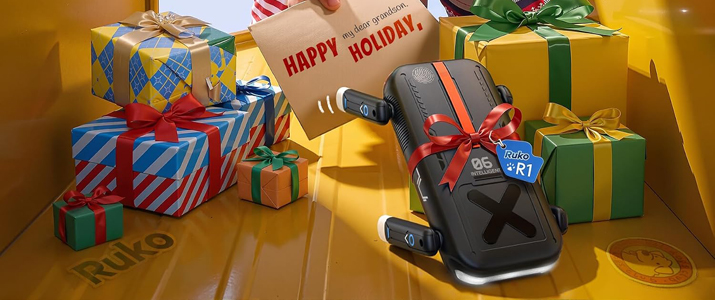
The Ruko R1 Mini is a palm-sized, app-free robot dog for ages 3+ that flips in four directions, rights itself after a fall, and can be steered by a remote, a gesture-sensing wristband or a touch sensor on its back. At less than $50, it is an easy holiday gift, but its “programming” mode only chains moves and does not teach coding.
Key Takeaways
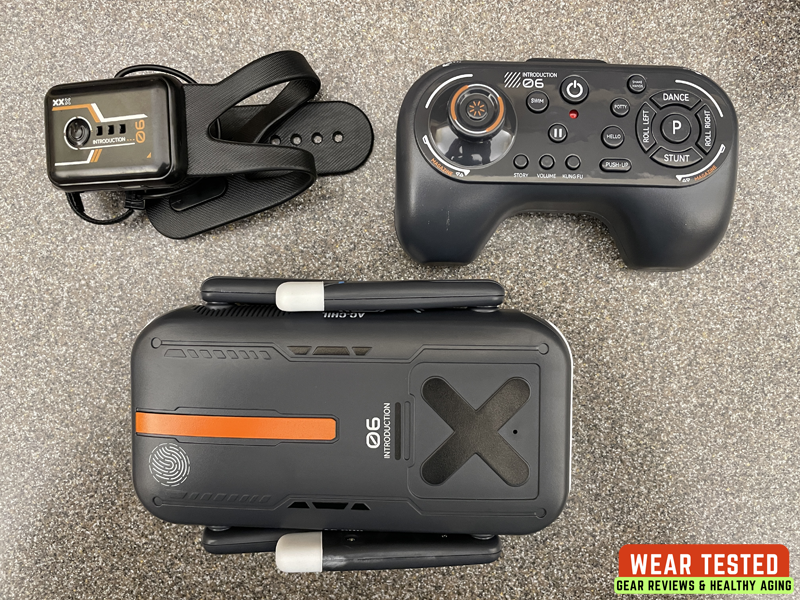
- Stunts: Front flip, back flip, roll left and roll right, plus self-righting, so play keeps going after a tumble.
- Ease of use: No app and no account. Slide the power switch, wait for the startup sound and play. Buy two AAA batteries for the remote first, because none are included.
- Gesture control: A wrist-worn controller steers the dog by hand tilt, and a finger button switches it into stunt mode.
- Programming: Kids can chain 10 or more moves into a routine, but sequences cannot be saved, and it does not teach coding.
- Holiday gift: Best for ages 3 to 7.
Ruko R1 Mini Specs
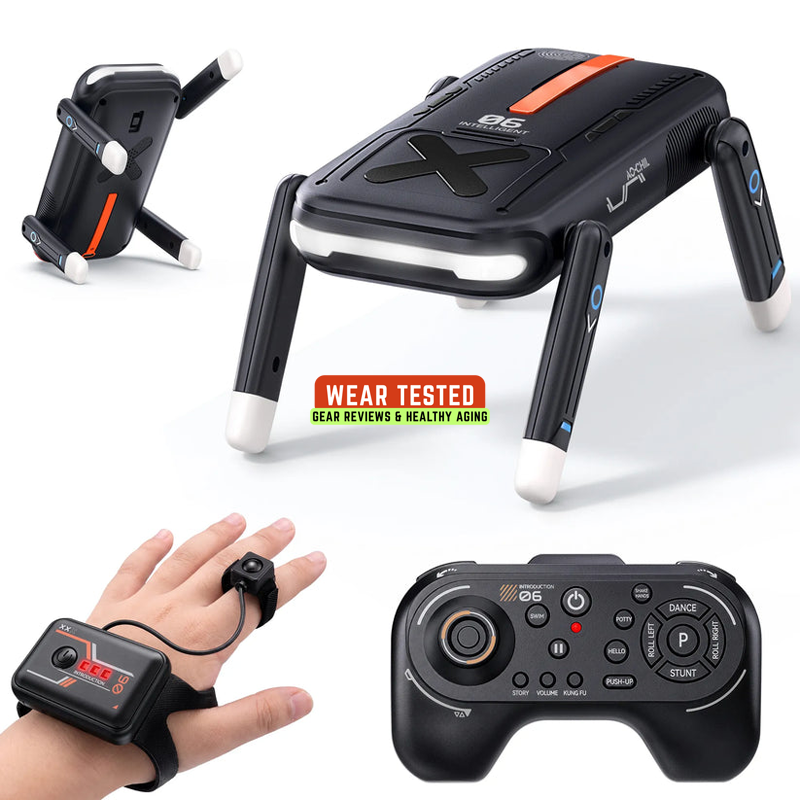
The Ruko R1 Mini Robot Dog is about 6.3 inches long, weighs 8.8 ounces and runs up to 50 minutes per charge.
| Spec | Details |
| Price | $59.99 (MSRP) |
| Age range | 3 and up |
| Size | 6.3 x 4.13 x 3.39 in |
| Weight | 8.8 oz |
| Robot battery | 3.7V 1200mAh 18650 rechargeable, included |
| Charging | USB-C, about 2 hours for a full charge |
| Playtime | Up to 50 minutes per charge |
| Remote power | 2 x AAA batteries, not included |
| Controls | 2.4 GHz remote, gesture-sensing wristband, back touch sensor |
| Volume | 4 levels |
| Body | Matte ABS plastic |
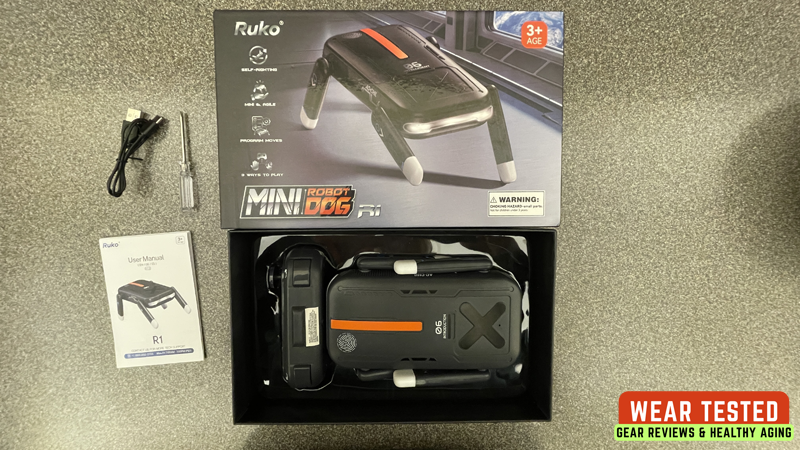
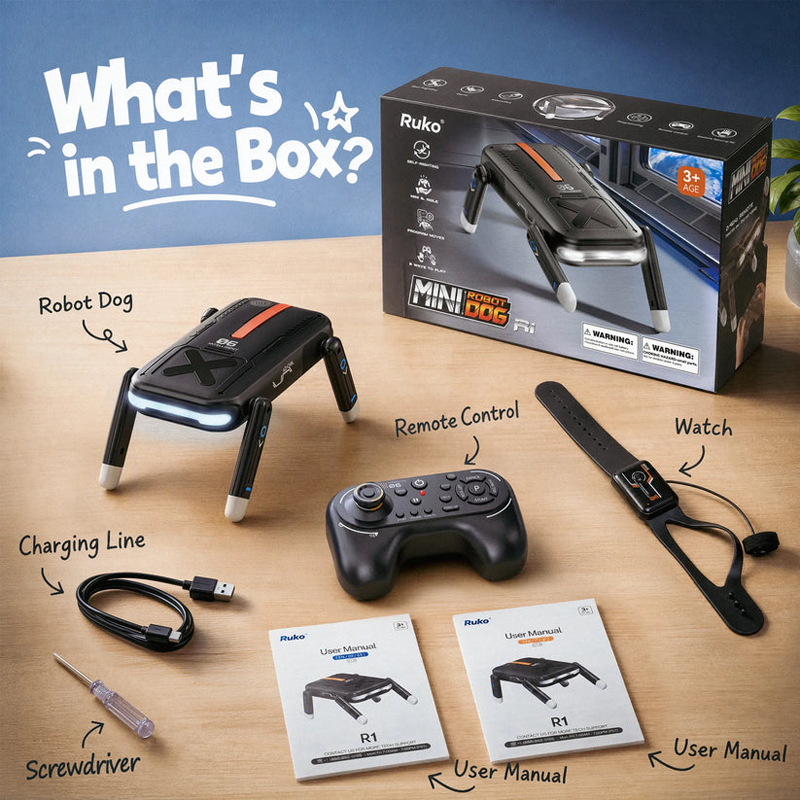
| In the box | Robot dog, remote, wristband, USB cable, small screwdriver, manual |
| Manual languages | English, German, Spanish, French, Italian, Japanese |
What Stunts can the Ruko R1 Mini Robot Dog do?
The R1 Mini does four flips (front flip, back flip, roll left and roll right) and then rights itself, which is the headline feature of the toy. There are four flips under the gesture controller’s stunt mode and are 360-degree flips in each direction.
Self-righting is what makes the stunts practical.
After a flip or a fall onto its side or back, the dog turns itself upright, so a young child does not have to stop and reset it – gyroscope-assisted self-recovery.
Beyond flips, the trick list is fixed.
Tricks include push-ups, swimming, shaking hands, kung fu, dancing and a bedtime story mode – it walks, rolls, waves and tells a story,… But the novelty of each trick might wear off quickly there is little room to expand the experience.
It is built for tumbles, not drops.
Here is how each control method reaches the stunts:
| Control | How you trigger stunts |
| Standard 2.4 GHz remote | Dedicated buttons, including Stunt and Dance, plus a joystick for movement |
| Gesture Sensing RC | Press the finger button for stunt mode, then tilt your hand forward, back, left or right |
| Touch sensor | Tap the fingerprint-style sensor on the robot’s back for fun actions and reactions |
Hint:
To “walk” the dog, the only way I found how to do that is with gesture control (see below).
Is the Ruko R1 Mini Easy to Use?
Yes. Setup is easy and needs no app, account or internet connection.
Powering on the Robot:
- Slide the bottom power switch to ON.
- Wait for the startup sound.
- The robot is ready to play.
The robot also has auto sleep: it powers off after a period of inactivity, so slide the switch off and on again to keep playing.
Setting up the Standard Remote:
- Remove the battery cover with a screwdriver. The small screwdriver is in the box.
- Insert two AAA batteries, matching the (+/-) markings.
- Replace the cover.
Plan Ahead for Batteries
The robot’s 3.7V 1200mAh 18650 battery is rechargeable and included, but the remote’s AAA batteries are not, so gift-givers should buy them first.
Suggestion for Ruko:
Make the remote control rechargeable with USB-C.
How does the Ruko R1 Gesture Control work?
The Gesture Sensing RC is a wrist-worn controller: you tilt your hand to steer the dog and press a finger button to switch into stunt mode. It has a main button, three LED indicators and a small finger button on a cord.
Important Note:
The standard remote and the gesture controller cannot be connected to the robot at the same time. To use the gesture controller, turn the standard remote off, then restart the robot dog so it can pair.
How to Use it:
- Power on and pair. Short-press the main button. The LEDs flash slowly while unconnected, then switch to a chasing light effect once paired with the dog.
- Drive in the default mode. Tilt your hand left or right to turn the dog, and forward or backward to move or “walk” it forward or back.
- Switch to stunt mode. Short-press the finger button once. Tilting your hand forward, backward, left or right now triggers a front flip, back flip, roll left or roll right. Press the finger button again to return to basic control.
- Pause. Short-press the main button once to pause all actions, with the LEDs staying solid. Press it again to resume, and the chasing lights return.
- Power off. Press and hold the main button.
Why it matters for gifting – gesture control removes the button-learning curve, since steering is just a hand tilt.
Quick fix if it will not pair – turn off the standard remote first, then restart the robot, and keep the wristband’s main button LEDs in view to confirm the chasing light effect.
Is the Ruko R1 Mini Programmable?
Sort of: it lets kids chain 10 or more moves into a routine, but it is a move sequencer, not a coding toy – child presses moves in order and the dog plays them back. It is not a programmable STEM robot, with no coding lessons or autonomous behavior.
| Question | What We Know |
| Can it chain moves? | Yes |
| Can routines be saved? | No |
| Does it need an app or coding? | No app, and no coding lessons |
| Is it in the user manual? | No. The V1.0 manual covers power, remotes, gesture control and touch only. |
Who it Suits:
Children around 3 to 6 who enjoy putting moves in order will like it, and it is a gentle first taste of sequencing. Older kids who want to learn real programming should look at a robot with an app or block coding.
Is the Ruko R1 Mini a good Holiday Gift?
Yes, for kids roughly 3 to 7 who love robots, toy animals or RC toys. It would make a fun birthday or holiday gift, especially for a child who has seen larger robot dogs on TV and wants one of their own.
Should you Buy the Ruko R1 Mini?
Buy it for a young child who wants a tough, silly robot pet; skip it if the goal is learning to code or long-term depth.
Buy It if:
- The child is about 3 to 7 and likes robots, animals or RC toys.
- You want a screen-free gift with no app, account or online setup.
- You like the idea of a toy that survives tumbles and rights itself.
- You want a stunt toy under about $50.
Skip It if:
- The child wants to write code, save custom routines or use an app.
- The child is older and likely to tire of a fixed set of tricks.
Final Verdict
Yes, for young kids: the Ruko R1 Mini Robot Dog is a good-value stunt toy to wrap this season, with flips, self-righting, three ways to play and no app to manage. Treat the “programmable” label as a bonus, not the reason to buy. If you want a tough, silly robot pet that flips and rolls on command, this is a safe pick at under $50.
Ruko R1 Mini Robot Dog FAQ
What age is the Ruko R1 Mini for?
Ruko’s manual rates it for ages 3 and up. Its fixed tricks and simple controls suit younger children best.
Does the Ruko R1 Mini need an app?
No. It works with its 2.4 GHz remote, the gesture-sensing wristband and the touch sensor on its back, with no app or online account.
How long does the battery last, and what batteries does it use?
Ruko rates it for up to 50 minutes of play per charge, and a full USB-C charge takes about two hours. The robot uses an included 3.7V 1200mAh 18650 rechargeable battery, and the standard remote needs two AAA batteries that are not included.
Can the Ruko R1 Mini do flips and get back up?
Yes. It performs front flips, back flips and left and right rolls, and it turns itself upright after a fall or a flip.
Can I use the remote and the gesture controller at the same time?
No. Per the manual, turn the standard remote off and restart the robot dog before pairing the Gesture Sensing RC.
Is the Ruko R1 Mini programmable?
It can chain 10 or more moves into a routine, but it is not a coding robot, and routines cannot be saved.